تماس اینترنتی رایگان

Server setup

Physical and virtual server

Server setup is one of the essential steps for data management and information processing in organizations. Depending on the business needs, a physical server or a virtual server can be used. The choice of Windows Server or Linux operating system has a direct impact on the performance and security of the server. RayaICT Company, by providing specialized physical server setup services, offers optimal solutions for server management and increasing network productivity. Proper hardware and software configuration, along with precise security settings, will improve system performance and stability.

We understand how valuable your time is. If you need Server setup , please contact us or complete the contact form so that our experts can get in touch with you as soon as possible.
اگر قبلا از Server setup رایا استفاده کرده‌اید؛ به آن امتیاز دهید.
5/5 - (1 votes)
راه اندازی سرور

Server setup services

Advice on choosing a server type (physical or virtual)

Software and hardware support

Optimized hardware configuration

Security and backup

راه اندازی سرور فیزیکی

Introduction to server types

Servers Known as the beating heart of computer networks, these devices are responsible for processing, storing, and managing data and are categorized into different types depending on their application. Choosing the right server type has a direct impact on the performance, security, and scalability of a business. In this article, we will learn about the types of servers and the key features of each.

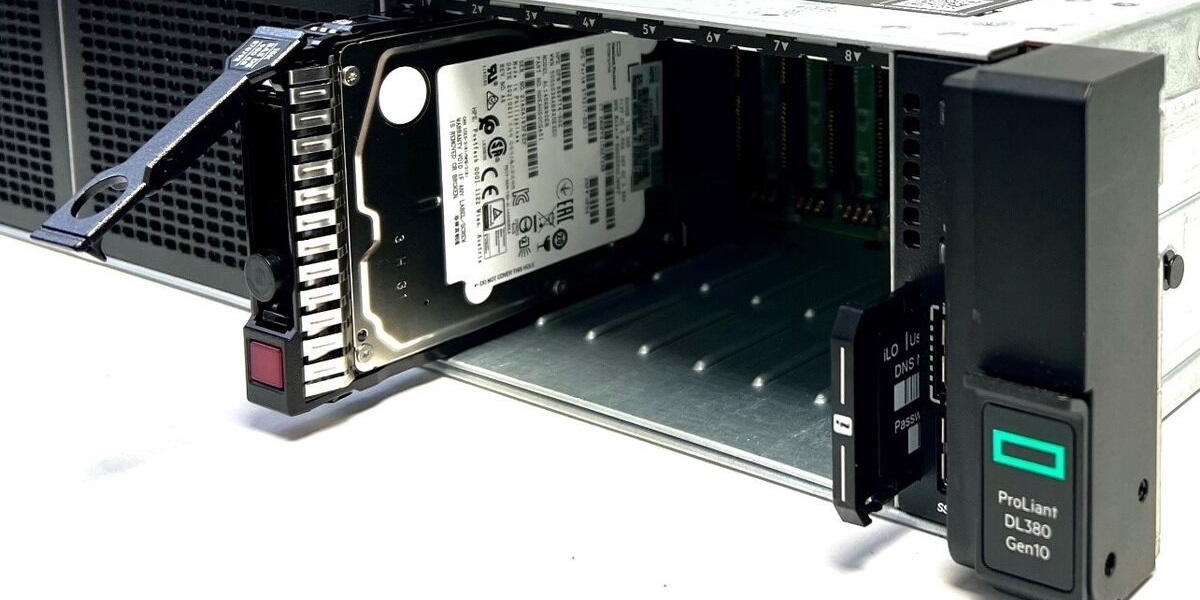
A physical server is an ideal option for organizations and businesses that require high security, dedicated resources, and complete control over their infrastructure. These servers offer users stability, speed, and scalability, but at the same time, their setup and maintenance costs are higher than virtual and cloud servers.

If you're looking for a stable, powerful, and secure solution for running mission-critical applications and processing large amounts of data, a physical server is a good choice. However, if you want to reduce costs and don't need to manage hardware, virtual and cloud servers can be good options.

Choose between Physical server and virtual server It depends entirely on your business needs. If Security, powerful processing and complete independence It is a priority for you, Physical server is the best option. But if you are looking for Scalability, lower cost, and easier management هستید، Virtual server It would be a good choice.

Setting up a physical server

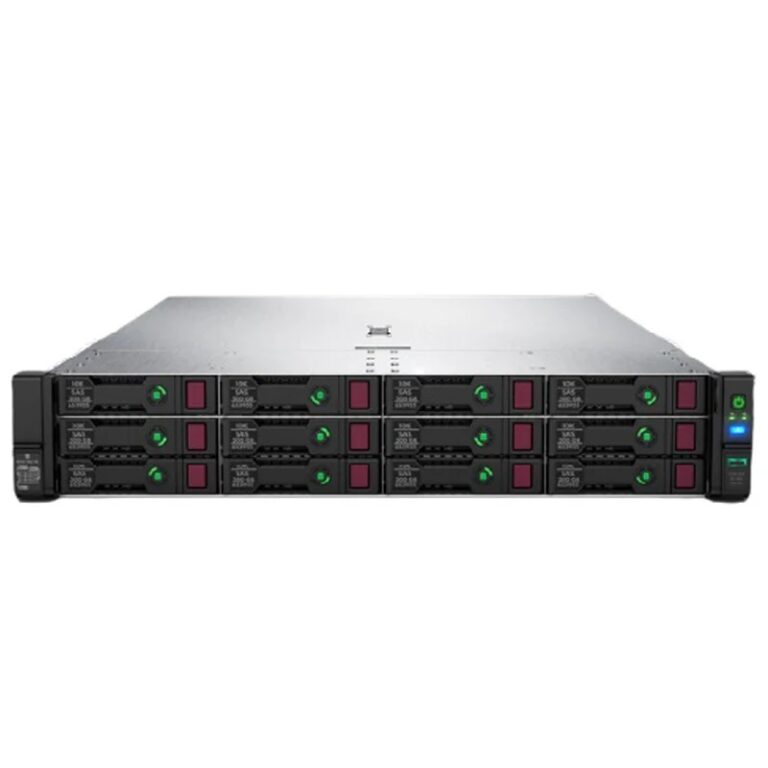
Physical server is a type of independent hardware whose processing, storage, and memory resources are exclusively available to an organization or user. These types of servers are an ideal option for organizations with a need for High processing power, greater security and advanced management. هستند.

Physical server features:

  • Powerful performance: Multi-core processors, high RAM, and ample storage space.
  • Enhanced security: Complete control over data, possibility Firewall configuration and custom security solutions.
  • Independent management: Need a specialist team for Management, maintenance and support دارد.

Benefits of setting up a physical server:

Stable and dedicated performance No dependency on shared resources.
Supports large data volumes and complex processing.
Ability to customize hardware and software to suit the organization's needs.

Disadvantages:

High cost For purchase, setup and maintenance.
Need for proper infrastructure such as a server room with proper ventilation and physical security..

Setting up a virtual server

Virtual server (VPS – Virtual Private Server) is a simulated environment on a physical server created through virtualization technology. These types of servers are suitable for users who need more flexibility and lower costs than physical servers.

Virtual server features:

  • High scalability: Ability to upgrade or downgrade resources (CPU, RAM, memory) with a few clicks.
  • Lower cost: Unlike physical servers, it does not require the purchase of dedicated hardware.
  • Relative control and security: Users have access to their own resources but still run on a Shared physical server اجرا می‌شوند.

Benefits of setting up a virtual server:

Lower cost Compared to physical servers.
Quick setup and easy management Through admin panels.
Suitable for small businesses and startups Which do not require many resources.

Disadvantages:

More limited functionality than Physical servers.
Dependency on the main serverIf the physical hardware fails, all VPSs on it will be affected.

The importance of setting up a server

The server is known as the beating heart of computer networks in any organization or company. This system is able to centrally store various information and resources and provide access to them to different users. Proper and timely server setup is of great importance because no business can effectively run its processes without proper infrastructure. If the server is not installed and configured properly, it may face problems such as کندی سرعت, قطع ارتباطات شبکه‌ای or تهدیدات امنیتی مواجه شوید.

One of the most important things to consider when setting up a server is: Information security Any failure in this area can lead to data loss or hackers intruding into the system. For this reason, the setup process must be carried out carefully and by expert teams. Since many organizations depend on their sensitive data and information, it is essential to create a secure and stable server.

Benefits of setting up a server

Setting up the right server can have significant benefits for businesses. The first benefit is, Increased efficiency By choosing the right server and configuring it correctly, you can dramatically improve the speed of data processing and access to information. This is especially important for companies that deal with large volumes of data.

Another great benefit of setting up a server is Centralized resource management By installing and configuring a server, all resources such as files, databases, and applications can be stored in one place and accessed easily. This not only increases the speed of accessing information, but also System support and management It also makes it easier.

Scalability Another significant advantage of server deployment is that by using virtual or physical servers, organizations are able to easily upgrade and upgrade their servers. This scalability helps businesses optimize their servers as data volumes increase and the need for more processing resources increases.

On the other hand, Data security is One of the most important benefits of setting up a server is that if the server is configured correctly and its security settings are carefully implemented, it can greatly prevent the intrusion of hackers and malware. By using Firewalls, Intrusion detection systems and Server security can be maximized.، می‌توان امنیت سرور را به حداکثر رساند.

Server setup cost

The cost of setting up a server may vary depending on the specific needs of each organization and the type of server used. Costs can include the purchase price Hardware, Software, installation and configuration services, as well as the cost of maintaining and supporting the server over time. In general, server setup costs are divided into three main parts: Server purchase cost, Installation and configuration service fee and Maintenance cost.

In the first part, the cost of purchasing a server depends on the type of server (physical or virtual) and its features. For example, purchasing a physical server with high processing resources can be expensive, while virtual servers are a more affordable option for many businesses due to their easy scalability and lower cost.

In the second part, server installation and configuration services typically include hardware selection, operating system installation, network configuration, and installation of essential software. This process requires expertise and time and is usually performed by service companies such as RayaICT network services The costs for this part vary depending on the complexity of the work and the specific needs of the business.

Server maintenance costs also accrue over time. These costs include technical support, security updates, monitoring server performance, and performing periodic backups. Also, if the server fails or has problems, there are costs to repair and rebuild it.

صفر تا صد راه اندازی سرور

صفر تا صد Server setup فراتر از صرفاً نصب چند قطعه سخت‌افزاری است؛ این فرایند، نقطه آغاز ایجاد یک ستون فقرات قدرتمند برای زیرساخت‌های فناوری اطلاعات محسوب می‌شود. در عصر دیجیتال که داده‌ها حکم طلا را دارند، سرور قلب تپنده هر کسب‌وکار به شمار می‌رود. بدون سروری امن، پایدار و دقیقاً تنظیم‌شده، هیچ سازمانی نمی‌تواند رشد پایدار و خدمات قابل اعتماد ارائه دهد.

راه اندازی صحیح سرور به معنای تضمین امنیت اطلاعات، سرعت پردازش بالا، و کاهش ریسک توقف خدمات است؛ گامی راهبردی که آینده یک سازمان را رقم می‌زند.


برنامه‌ریزی برای راه اندازی سرور

هر پروژه موفقی با برنامه‌ریزی دقیق آغاز می‌شود و راه اندازی سرور نیز از این قاعده مستثنی نیست. در این مرحله نیازسنجی کامل صورت می‌گیرد تا مشخص شود چه نوع سروری برای اهداف سازمان مناسب است، چه ظرفیتی از پردازش و ذخیره‌سازی نیاز است و چه سطحی از امنیت باید لحاظ شود.

انتخاب نوع سرور برای راه اندازی سرور

در گام نخست، باید نوع سرور مورد استفاده تعیین شود. انتخاب سرور اشتباه، موجب هدررفت منابع و ایجاد گلوگاه در رشد آینده خواهد شد. بسته به نوع کسب‌وکار، بار کاری، و سطح در دسترس بودن خدمات، می‌توان از سرورهای رک‌مونت، تاور یا تیغه‌ای بهره برد. انتخاب صحیح در این بخش، پایه‌ای‌ترین گام در مسیر موفقیت است.

سرور فیزیکی یا مجازی برای راه اندازی سرور

سرورهای فیزیکی قدرت پردازشی بالاتری دارند اما هزینه نگهداری، مصرف انرژی و فضای بیشتری طلب می‌کنند. در مقابل، سرورهای مجازی با انعطاف‌پذیری بالا و امکان مقیاس‌پذیری سریع، برای سازمان‌هایی با نیاز متغیر گزینه‌ای ایده‌آل هستند. تصمیم میان این دو، باید بر اساس ظرفیت بار کاری و بودجه انجام شود.

سرور اختصاصی یا ابری و تاثیر آن بر راه اندازی سرور

سرور اختصاصی به معنای مالکیت کامل بر منابع است و برای سازمان‌هایی با حساسیت بالا در امنیت داده توصیه می‌شود. اما در سوی دیگر، سرورهای ابری امکان راه‌اندازی سریع، کاهش هزینه‌های اولیه و دسترسی از راه دور را فراهم می‌کنند. بررسی دقیق SLA، سطح امنیت و قابلیت توسعه‌پذیری پیش از انتخاب هرکدام حیاتی است.


Price: قیمت اصلی 135,000,000 تومان بود.قیمت فعلی 133,000,000 تومان است.


آماده‌سازی سخت‌افزار برای راه اندازی سرور

پس از تعیین نوع سرور، زمان تجهیز آن فرا می‌رسد. انتخاب سخت‌افزار مناسب نه‌تنها عملکرد را بهبود می‌بخشد، بلکه هزینه‌های نگهداری را در آینده کاهش می‌دهد.

پردازنده و RAM در راه اندازی سرور

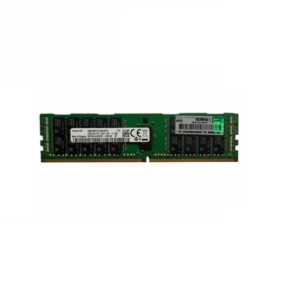
پردازنده مغز سرور است. انتخاب پردازنده‌هایی با تعداد هسته بالا و پشتیبانی از فناوری‌های چندرشته‌ای، توان پردازشی لازم برای بارهای سنگین را فراهم می‌کند. در کنار آن، استفاده از حافظه ECC DDR4 یا DDR5 با ظرفیت مناسب، از بروز خطاهای حافظه جلوگیری کرده و ثبات سیستم را افزایش می‌دهد.

استوریج و RAID در راه اندازی سرور

زیرساخت ذخیره‌سازی باید قابلیت اطمینان و سرعت بالا را همزمان ارائه دهد. استفاده از درایوهای SAS یا NVMe و پیکربندی RAID (به‌ویژه RAID 10 یا RAID 6) امکان افزونگی داده و بازیابی سریع در صورت خرابی را میسر می‌کند. این تصمیم، تفاوت بین بازیابی سریع و فاجعه از دست رفتن داده‌ها را رقم می‌زند.

کارت شبکه و تجهیزات جانبی برای راه اندازی سرور

سروری که نتواند ارتباط پایدار و سریع برقرار کند، عملاً بلااستفاده است. به همین دلیل، کارت‌های شبکه با سرعت 1GbE یا 10GbE، سوئیچ‌های مدیریتی، و منابع تغذیه افزونه (Redundant) باید از ابتدا در طراحی لحاظ شوند تا در آینده از ایجاد گلوگاه ارتباطی جلوگیری شود.


صفر تا صد راه اندازی سرور


نصب و پیکربندی سیستم‌عامل در راه اندازی سرور

پس از آماده‌سازی سخت‌افزار، گام بعدی نصب و پیکربندی سیستم‌عامل است؛ مرحله‌ای که شالوده عملکرد سرور را شکل می‌دهد.

انتخاب سیستم‌عامل مناسب برای راه اندازی سرور

انتخاب بین سیستم‌عامل‌های ویندوز سرور (مانند Windows Server 2022) یا توزیع‌های لینوکسی (مانند Ubuntu Server، RHEL یا Debian) باید براساس نوع سرویس‌های مورد نیاز، سطح امنیت، و دانش تیم فنی صورت گیرد. سیستم‌عاملی که پشتیبانی گسترده و به‌روزرسانی‌های مداوم ارائه می‌دهد، اولویت دارد.

مراحل نصب و تنظیمات اولیه در راه اندازی سرور

در این مرحله، پارتیشن‌بندی دیسک‌ها، تعیین نام میزبان (Hostname)، تنظیم ناحیه زمانی، نصب درایورها و به‌روزرسانی اولیه انجام می‌شود. این تنظیمات پایه، عملکرد پایدار و یکپارچه سرور را تضمین می‌کنند و باید با دقت انجام شوند.

امنیت پایه و فایروال در راه اندازی سرور

یکی از حیاتی‌ترین مراحل، ایجاد دیواره‌های امنیتی است. فعال‌سازی فایروال، غیرفعال کردن سرویس‌های غیرضروری و نصب گواهی‌های SSL از همان ابتدا، مانع از نفوذهای احتمالی و حملات سایبری می‌شود. امنیت پایه، بنیان بقای سرور در بلندمدت است.


صفر تا صد راه اندازی سرور


شبکه و امنیت در راه اندازی سرور

شبکه بستر ارتباطی سرور با جهان خارج است و طراحی صحیح آن، تضمین‌کننده سرعت و امنیت خواهد بود.

تنظیمات آی‌پی و DNS برای راه اندازی سرور

پیکربندی آدرس‌های IP استاتیک، تنظیم رکوردهای DNS و در نظر گرفتن Reverse DNS برای جلوگیری از مشکلات ارسال ایمیل و تأیید هویت از مهم‌ترین اقدامات اولیه محسوب می‌شوند. این تنظیمات پایه‌ای، مسیر ارتباط سرور با سایر سیستم‌ها را مشخص می‌کنند.

مدیریت کاربران و دسترسی‌ها در راه اندازی سرور

ایجاد حساب‌های کاربری با سطح دسترسی محدود، استفاده از احراز هویت چندمرحله‌ای و فعال‌سازی لاگ‌های امنیتی از الزامات حیاتی است. این رویکرد از دسترسی غیرمجاز جلوگیری کرده و مسئولیت‌پذیری هر کاربر را مشخص می‌سازد.


صفر تا صد راه اندازی سرور


نصب نرم‌افزارها و سرویس‌ها در راه اندازی سرور

زمانی که زیرساخت اصلی آماده شد، نصب نرم‌افزارها و سرویس‌های مورد نیاز سازمان آغاز می‌شود؛ جایی که سرور از یک سخت‌افزار خنثی به قلب تپنده سازمان بدل می‌شود.

وب سرور و پایگاه داده در راه اندازی سرور

نصب وب‌سرورهایی مانند Apache یا Nginx و راه‌اندازی پایگاه‌داده‌های قدرتمندی چون MySQL یا PostgreSQL بخش مهمی از این مرحله است. پیکربندی صحیح این سرویس‌ها بر کارایی کلی سیستم اثر مستقیم دارد و باید بهینه‌سازی منابع همزمان انجام شود.

ابزارهای مانیتورینگ و بکاپ در راه اندازی سرور

برای جلوگیری از اختلالات ناگهانی، استفاده از ابزارهای مانیتورینگ منابع (CPU، RAM، دیسک، ترافیک شبکه) و راه‌اندازی سیستم‌های بکاپ خودکار ضروری است. این ابزارها تضمین می‌کنند که در صورت بروز مشکل، بتوان به سرعت به حالت پایدار بازگشت.


نگهداری و پشتیبانی پس از راه اندازی سرور

راه اندازی سرور پایان مسیر نیست؛ بلکه آغاز چرخه‌ای مداوم از نگهداری، بهینه‌سازی و پشتیبانی محسوب می‌شود.

به‌روزرسانی دوره‌ای و مانیتورینگ راه اندازی سرور

نصب وصله‌های امنیتی، به‌روزرسانی سیستم‌عامل و مانیتورینگ 24 ساعته برای تشخیص زودهنگام خطاها باید به‌طور منظم انجام شوند. این اقدامات از بروز حفره‌های امنیتی و کاهش بهره‌وری جلوگیری می‌کنند.

رفع مشکلات و پشتیبانی سریع در راه اندازی سرور

داشتن تیم پشتیبانی متخصص برای عیب‌یابی سریع، کاهش زمان قطعی و پاسخگویی به حوادث بحرانی ضروری است. هر دقیقه اختلال در سرور، می‌تواند هزینه‌های هنگفتی برای سازمان در پی داشته باشد.


شرکت فناوری شبکه رایا - اجرای زیرساخت شبکه و پشتیبانی 24/7 | مشاوره شبکه - نصب و راه اندازی شبکه - خدمات فناوری اطلاعات - راه اندازی شبکه سازمانی - خدمات ویپ VoIP - نصب دوربین مداربسته - امنیت شبکه - پشتیبانی شبکه - طراحی سایت - سئو سایت
RayaICT Company
جهت کسب اطلاعات بیشتر درباره راه اندازی سرور با ما در تماس باشید.


جمع‌بندی و نکات کلیدی در راه اندازی سرور

راه اندازی سرور سفری فنی و استراتژیک است که از برنامه‌ریزی دقیق تا نگهداری مداوم را در بر می‌گیرد. انتخاب سخت افزار قدرتمند، نصب اصولی سیستم‌عامل، پیکربندی امن شبکه و استقرار نرم‌افزارهای حیاتی تنها بخش کوچکی از این مسیر هستند.
برای سازمان‌هایی که به دنبال زیرساختی پایدار، امن و مقیاس‌پذیر هستند، همکاری با مجموعه‌های متخصصی همچون RayaICT Company بهترین تصمیم ممکن است. این شرکت با تجربه گسترده در زمینه Server setup، از مرحله مشاوره تا پشتیبانی 24 ساعته، همراه سازمان‌ها در این مسیر حیاتی خواهد بود.
با راه‌اندازی صحیح سرور، کسب‌وکار شما نه‌تنها در برابر چالش‌های امروز مقاوم می‌شود، بلکه آماده فتح قله‌های فردا خواهد بود.

More details بستن
Uninterrupted connection

Experience a secure, efficient, and sustainable organizational network with RayaICT's unique solutions.

Application form
Shopping cart

سبد خرید شما خالی است.